Google PageSpeed Insights

Blog

Website Speed Optimization Tips: Improve Performance and User Experience in 2026

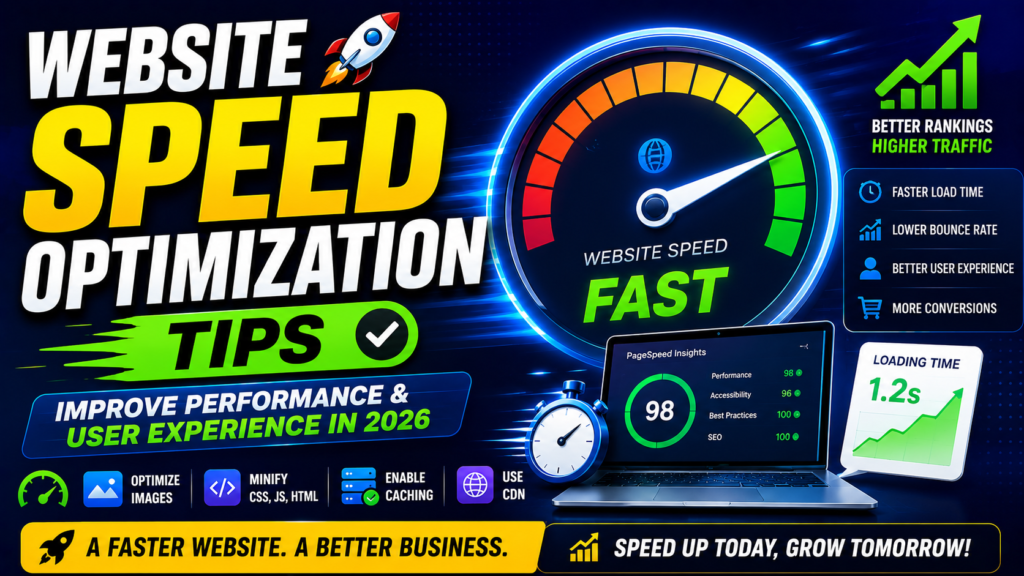
In today’s fast-paced digital world, users expect websites to load almost instantly. A slow website can frustrate visitors, increase bounce rates, reduce conversions, and negatively impact search engine rankings. Whether you run a business website, an e-commerce store, or a personal blog, website speed optimization is essential for providing a better user experience and improving online visibility. In 2026, website speed is not just a technical concern—it is a critical factor for SEO, customer satisfaction, and business growth. This guide explains why website speed matters and shares practical tips to help you optimize your website for maximum performance. Why Website Speed Matters Website speed directly affects how users interact with your website. Studies show that visitors are more likely to leave a page if it takes more than a few seconds to load. Faster websites encourage users to stay longer, explore more pages, and complete actions such as making a purchase or filling out a contact form. Search engines like Google also consider page speed as an important ranking factor. A fast-loading website improves your chances of appearing higher in search results, leading to increased organic traffic and better visibility. Additionally, website speed contributes to improved mobile performance, higher conversion rates, and greater customer satisfaction. 1. Choose a Reliable Web Hosting Provider Your hosting provider plays a significant role in your website’s performance. Shared hosting may be affordable, but it can slow down your site if server resources are limited. For better performance, consider: A reliable hosting provider ensures faster server response times, better uptime, and improved scalability as your business grows. 2. Optimize Images Large image files are one of the most common reasons for slow-loading websites. To improve speed: Optimized images reduce page size and improve loading times across all devices. 3. Minify CSS, JavaScript, and HTML Website files often contain unnecessary spaces, comments, and unused code that increase file size. Minifying CSS, JavaScript, and HTML removes unnecessary elements while keeping functionality intact. Benefits include: Many optimization plugins and build tools can automate this process. 4. Enable Browser Caching Browser caching stores static website resources such as images, stylesheets, and scripts on visitors’ devices. When users return to your website, their browser loads cached files instead of downloading everything again. This significantly improves page load times for returning visitors while reducing server load. 5. Use a Content Delivery Network (CDN) A CDN stores copies of your website across multiple servers located around the world. When someone visits your website, content is delivered from the server closest to their location, reducing latency and improving loading speed. A CDN is especially useful for businesses with visitors from different countries. 6. Reduce HTTP Requests Every image, script, stylesheet, and font on your website creates an HTTP request. Too many requests increase loading times. To reduce HTTP requests: Simplifying your website reduces server requests and improves performance. 7. Optimize for Mobile Devices Most internet users browse websites using smartphones. A mobile-friendly website should: Mobile optimization not only improves user experience but also supports better search engine rankings. 8. Improve Core Web Vitals Core Web Vitals measure how users experience your website. The three primary metrics include: Improving these metrics helps enhance user experience and supports better SEO performance. 9. Remove Unnecessary Plugins Using too many plugins can slow down your website by increasing server requests and loading additional scripts. Regularly review installed plugins and remove those that are: Keeping only essential plugins improves website performance and security. 10. Enable GZIP or Brotli Compression Compression reduces the size of website files before they are sent to users’ browsers. Popular compression methods include: Smaller files download faster, resulting in improved page speed and reduced bandwidth usage. 11. Optimize Your Database Over time, your website database collects unnecessary data such as spam comments, post revisions, temporary files, and expired records. Regular database optimization helps: Website owners should schedule routine database maintenance to keep their sites running smoothly. 12. Monitor Website Performance Regularly Website optimization is an ongoing process rather than a one-time task. Regularly monitor important metrics such as: Performance monitoring tools can identify issues before they affect user experience or search rankings. Common Website Speed Mistakes Many website owners unknowingly reduce performance by making avoidable mistakes, including: Avoiding these issues can significantly improve website speed and user satisfaction. Benefits of Website Speed Optimization Investing in website speed optimization provides several long-term benefits, including: Fast websites create a positive first impression and encourage visitors to engage with your business. Conclusion Website speed optimization is one of the most valuable investments businesses can make in 2026. A fast-loading website not only improves user experience but also supports higher search engine rankings, stronger customer engagement, and increased conversions. By choosing reliable hosting, optimizing images, minimizing code, enabling caching, using a CDN, improving Core Web Vitals, and continuously monitoring performance, businesses can build websites that are both fast and reliable. As online competition continues to grow, website speed is no longer optional. Businesses that prioritize performance will deliver better experiences, attract more visitors, and achieve sustainable digital growth.

Blog

Website Speed Optimization Tips: Improve Performance and User Experience in 2026

In today’s fast-paced digital world, users expect websites to load almost instantly. A slow website can frustrate visitors, increase bounce rates, reduce conversions, and negatively impact search engine rankings. Whether you run a business website, an e-commerce store, or a personal blog, website speed optimization is essential for providing a better user experience and improving online visibility. In 2026, website speed is not just a technical concern—it is a critical factor for SEO, customer satisfaction, and business growth. This guide explains why website speed matters and shares practical tips to help you optimize your website for maximum performance. Why Website Speed Matters Website speed directly affects how users interact with your website. Studies show that visitors are more likely to leave a page if it takes more than a few seconds to load. Faster websites encourage users to stay longer, explore more pages, and complete actions such as making a purchase or filling out a contact form. Search engines like Google also consider page speed as an important ranking factor. A fast-loading website improves your chances of appearing higher in search results, leading to increased organic traffic and better visibility. Additionally, website speed contributes to improved mobile performance, higher conversion rates, and greater customer satisfaction. 1. Choose a Reliable Web Hosting Provider Your hosting provider plays a significant role in your website’s performance. Shared hosting may be affordable, but it can slow down your site if server resources are limited. For better performance, consider: A reliable hosting provider ensures faster server response times, better uptime, and improved scalability as your business grows. 2. Optimize Images Large image files are one of the most common reasons for slow-loading websites. To improve speed: Optimized images reduce page size and improve loading times across all devices. 3. Minify CSS, JavaScript, and HTML Website files often contain unnecessary spaces, comments, and unused code that increase file size. Minifying CSS, JavaScript, and HTML removes unnecessary elements while keeping functionality intact. Benefits include: Many optimization plugins and build tools can automate this process. 4. Enable Browser Caching Browser caching stores static website resources such as images, stylesheets, and scripts on visitors’ devices. When users return to your website, their browser loads cached files instead of downloading everything again. This significantly improves page load times for returning visitors while reducing server load. 5. Use a Content Delivery Network (CDN) A CDN stores copies of your website across multiple servers located around the world. When someone visits your website, content is delivered from the server closest to their location, reducing latency and improving loading speed. A CDN is especially useful for businesses with visitors from different countries. 6. Reduce HTTP Requests Every image, script, stylesheet, and font on your website creates an HTTP request. Too many requests increase loading times. To reduce HTTP requests: Simplifying your website reduces server requests and improves performance. 7. Optimize for Mobile Devices Most internet users browse websites using smartphones. A mobile-friendly website should: Mobile optimization not only improves user experience but also supports better search engine rankings. 8. Improve Core Web Vitals Core Web Vitals measure how users experience your website. The three primary metrics include: Improving these metrics helps enhance user experience and supports better SEO performance. 9. Remove Unnecessary Plugins Using too many plugins can slow down your website by increasing server requests and loading additional scripts. Regularly review installed plugins and remove those that are: Keeping only essential plugins improves website performance and security. 10. Enable GZIP or Brotli Compression Compression reduces the size of website files before they are sent to users’ browsers. Popular compression methods include: Smaller files download faster, resulting in improved page speed and reduced bandwidth usage. 11. Optimize Your Database Over time, your website database collects unnecessary data such as spam comments, post revisions, temporary files, and expired records. Regular database optimization helps: Website owners should schedule routine database maintenance to keep their sites running smoothly. 12. Monitor Website Performance Regularly Website optimization is an ongoing process rather than a one-time task. Regularly monitor important metrics such as: Performance monitoring tools can identify issues before they affect user experience or search rankings. Common Website Speed Mistakes Many website owners unknowingly reduce performance by making avoidable mistakes, including: Avoiding these issues can significantly improve website speed and user satisfaction. Benefits of Website Speed Optimization Investing in website speed optimization provides several long-term benefits, including: Fast websites create a positive first impression and encourage visitors to engage with your business. Conclusion Website speed optimization is one of the most valuable investments businesses can make in 2026. A fast-loading website not only improves user experience but also supports higher search engine rankings, stronger customer engagement, and increased conversions. By choosing reliable hosting, optimizing images, minimizing code, enabling caching, using a CDN, improving Core Web Vitals, and continuously monitoring performance, businesses can build websites that are both fast and reliable. As online competition continues to grow, website speed is no longer optional. Businesses that prioritize performance will deliver better experiences, attract more visitors, and achieve sustainable digital growth.

Blog

Website Speed Optimization Tips: Improve Performance and User Experience in 2026

In today’s fast-paced digital world, users expect websites to load almost instantly. A slow website can frustrate visitors, increase bounce rates, reduce conversions, and negatively impact search engine rankings. Whether you run a business website, an e-commerce store, or a personal blog, website speed optimization is essential for providing a better user experience and improving online visibility. In 2026, website speed is not just a technical concern—it is a critical factor for SEO, customer satisfaction, and business growth. This guide explains why website speed matters and shares practical tips to help you optimize your website for maximum performance. Why Website Speed Matters Website speed directly affects how users interact with your website. Studies show that visitors are more likely to leave a page if it takes more than a few seconds to load. Faster websites encourage users to stay longer, explore more pages, and complete actions such as making a purchase or filling out a contact form. Search engines like Google also consider page speed as an important ranking factor. A fast-loading website improves your chances of appearing higher in search results, leading to increased organic traffic and better visibility. Additionally, website speed contributes to improved mobile performance, higher conversion rates, and greater customer satisfaction. 1. Choose a Reliable Web Hosting Provider Your hosting provider plays a significant role in your website’s performance. Shared hosting may be affordable, but it can slow down your site if server resources are limited. For better performance, consider: A reliable hosting provider ensures faster server response times, better uptime, and improved scalability as your business grows. 2. Optimize Images Large image files are one of the most common reasons for slow-loading websites. To improve speed: Optimized images reduce page size and improve loading times across all devices. 3. Minify CSS, JavaScript, and HTML Website files often contain unnecessary spaces, comments, and unused code that increase file size. Minifying CSS, JavaScript, and HTML removes unnecessary elements while keeping functionality intact. Benefits include: Many optimization plugins and build tools can automate this process. 4. Enable Browser Caching Browser caching stores static website resources such as images, stylesheets, and scripts on visitors’ devices. When users return to your website, their browser loads cached files instead of downloading everything again. This significantly improves page load times for returning visitors while reducing server load. 5. Use a Content Delivery Network (CDN) A CDN stores copies of your website across multiple servers located around the world. When someone visits your website, content is delivered from the server closest to their location, reducing latency and improving loading speed. A CDN is especially useful for businesses with visitors from different countries. 6. Reduce HTTP Requests Every image, script, stylesheet, and font on your website creates an HTTP request. Too many requests increase loading times. To reduce HTTP requests: Simplifying your website reduces server requests and improves performance. 7. Optimize for Mobile Devices Most internet users browse websites using smartphones. A mobile-friendly website should: Mobile optimization not only improves user experience but also supports better search engine rankings. 8. Improve Core Web Vitals Core Web Vitals measure how users experience your website. The three primary metrics include: Improving these metrics helps enhance user experience and supports better SEO performance. 9. Remove Unnecessary Plugins Using too many plugins can slow down your website by increasing server requests and loading additional scripts. Regularly review installed plugins and remove those that are: Keeping only essential plugins improves website performance and security. 10. Enable GZIP or Brotli Compression Compression reduces the size of website files before they are sent to users’ browsers. Popular compression methods include: Smaller files download faster, resulting in improved page speed and reduced bandwidth usage. 11. Optimize Your Database Over time, your website database collects unnecessary data such as spam comments, post revisions, temporary files, and expired records. Regular database optimization helps: Website owners should schedule routine database maintenance to keep their sites running smoothly. 12. Monitor Website Performance Regularly Website optimization is an ongoing process rather than a one-time task. Regularly monitor important metrics such as: Performance monitoring tools can identify issues before they affect user experience or search rankings. Common Website Speed Mistakes Many website owners unknowingly reduce performance by making avoidable mistakes, including: Avoiding these issues can significantly improve website speed and user satisfaction. Benefits of Website Speed Optimization Investing in website speed optimization provides several long-term benefits, including: Fast websites create a positive first impression and encourage visitors to engage with your business. Conclusion Website speed optimization is one of the most valuable investments businesses can make in 2026. A fast-loading website not only improves user experience but also supports higher search engine rankings, stronger customer engagement, and increased conversions. By choosing reliable hosting, optimizing images, minimizing code, enabling caching, using a CDN, improving Core Web Vitals, and continuously monitoring performance, businesses can build websites that are both fast and reliable. As online competition continues to grow, website speed is no longer optional. Businesses that prioritize performance will deliver better experiences, attract more visitors, and achieve sustainable digital growth.

Scroll to Top